Table of contents
- How to Enable BBC Dark Mode
- Does the BBC Website Have Dark Mode?
- BBC Dark Mode With Night Eye
- BBC Dark Mode Powered by Night Eye - Preview
- BBC Dark Mode on Chrome
- BBC Dark Mode on Firefox
- BBC Dark Mode on Microsoft Edge
- BBC Dark Mode on Safari for Mac
- BBC Dark Mode on iPhone and iPad
- BBC Dark Mode on Android
- Customize BBC Dark Mode
- Make BBC Dark Mode Turn On Automatically
- Use Dark Mode Only on BBC
- Is Night Eye Private When Using BBC?
- BBC Dark Mode Not Working?
- BBC Dark Mode FAQ
- Read BBC News in Dark Mode
Want BBC dark mode? Night Eye can turn the bright BBC website into a dark theme in Chrome, Firefox, Edge, Safari and other supported browsers.
Install Night Eye, open BBC News, and the extension can automatically convert the website to Dark Mode. You can then adjust brightness, contrast, saturation, dimming and other settings to make BBC more comfortable to read in the way you prefer.
Last reviewed: October 2026
How to Enable BBC Dark Mode
The quickest way to make the BBC website dark is:
- Install Night Eye for your browser.
- Open BBC News at bbc.com or bbc.co.uk.
- If the page was already open when you installed Night Eye, refresh it once.
Night Eye starts in Dark Mode and converts supported websites as they load. Once it is installed, you do not need to manually switch BBC News to dark mode every time you open an article.


Does the BBC Website Have Dark Mode?
Changing your computer, phone or browser to Dark Mode does not necessarily make the BBC website itself dark.
There are two separate layers:
- Browser or system dark mode changes your operating system, browser menus and supported interfaces.
- Website dark mode changes the actual webpage you are reading.
If BBC News still appears with a bright background after you enable Dark Mode on Windows, macOS, iPhone, Android or your browser, Night Eye can convert the webpage itself.
This means you can read BBC articles, headlines and other supported BBC webpages with a darker background without changing the original website for anyone else.
BBC Dark Mode With Night Eye
Night Eye is a browser extension that enables dark mode on nearly any website.
Instead of simply reversing every color on the screen, Night Eye analyzes website colors, backgrounds, text, images and interface elements and converts them into a dark appearance while keeping the page readable.
On BBC, this means the bright areas of the website can be converted to darker colors while text remains readable and photographs continue to display normally.
Once Night Eye is installed, you can keep BBC in Dark Mode automatically and save website-specific settings for future visits.
BBC Dark Mode Powered by Night Eye - Preview
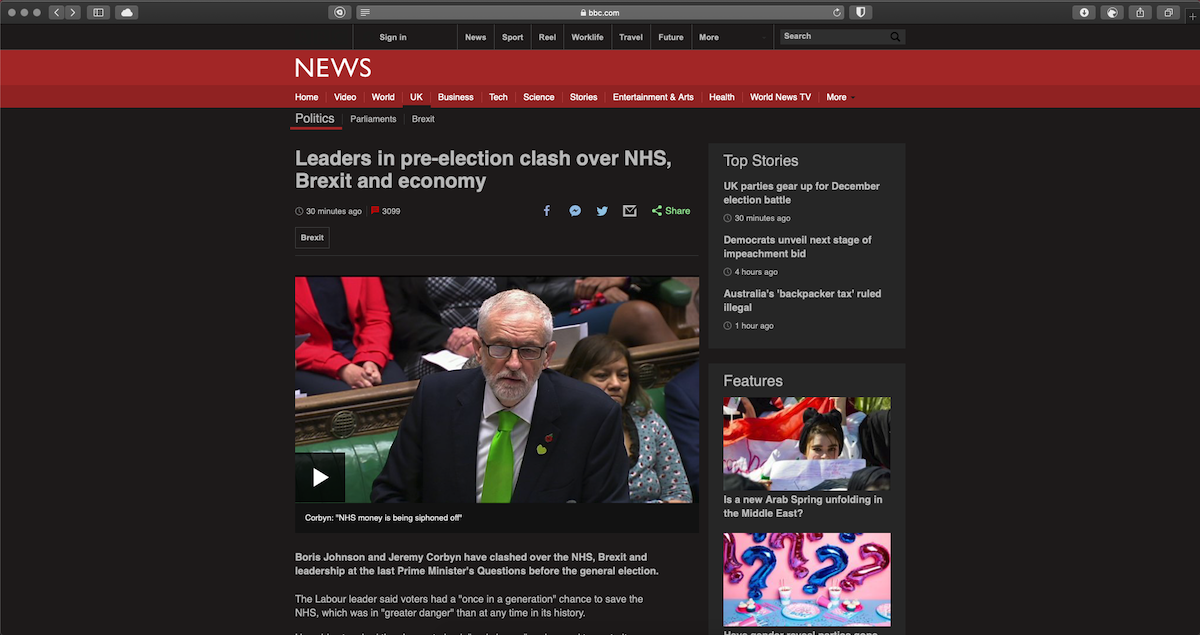
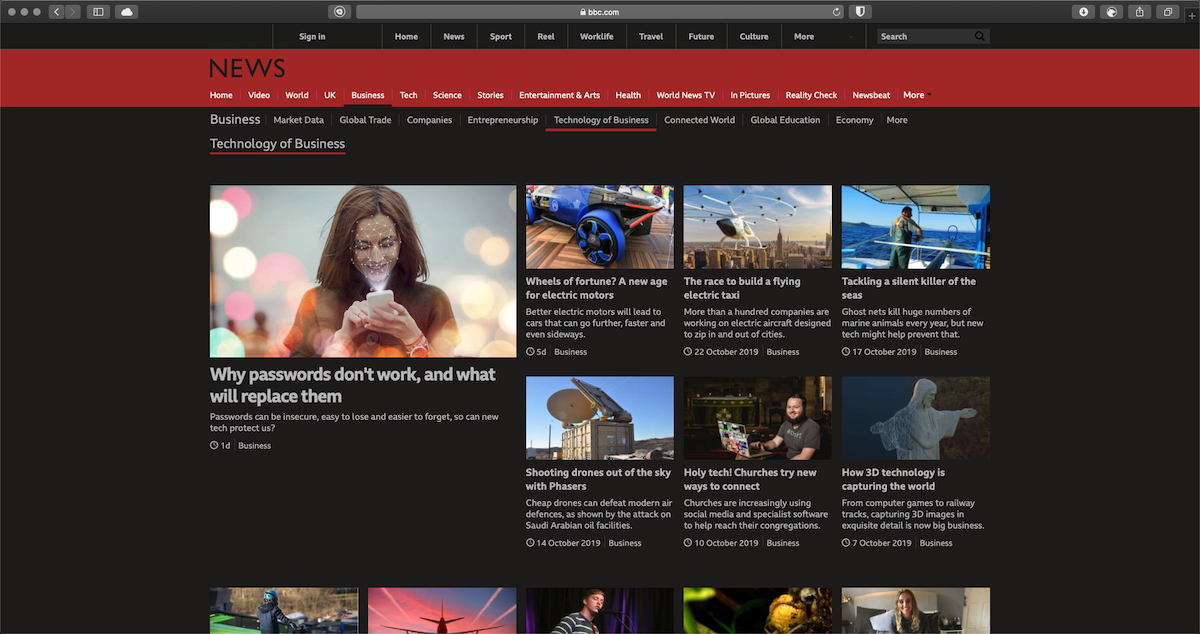
Below are examples of the BBC website converted to dark mode with Night Eye. The layout and content remain familiar, while the bright page backgrounds are transformed for darker browsing.


BBC Dark Mode on Chrome
To use BBC dark mode in Google Chrome:
- Install Night Eye from the Chrome Web Store.
- Open BBC News.
- Refresh the BBC tab if it was already open before installation.
- Open Night Eye from the Extensions menu if you want to customize the appearance.
Night Eye can remain in Dark Mode automatically, so you do not have to switch BBC News manually each time you open an article. You can also pin Night Eye to the Chrome toolbar for faster access to its controls.
BBC Dark Mode on Firefox
Night Eye also works with Firefox.
Install the Night Eye Firefox add-on, open BBC News and reload the page if necessary. You can then use the Night Eye menu to switch between Dark, Filtered and Normal modes.
- Dark Mode provides the complete dark conversion.
- Filtered Mode keeps more of the website's original appearance while letting you adjust display settings.
- Normal Mode displays the BBC website in its original appearance.
BBC Dark Mode on Microsoft Edge
Microsoft Edge users can install Night Eye from the Edge Add-ons store.
After installation:
- Open BBC News.
- Reload any BBC page that was already open.
- Select the Night Eye icon if you want to customize the BBC appearance.
Because Edge is Chromium-based, the experience is similar to Chrome.
BBC Dark Mode on Safari for Mac
Night Eye is available as a Safari extension on macOS.
After downloading Night Eye:
- Open Safari.
- Go to Safari → Settings → Extensions.
- Enable Night Eye.
- Allow the required website access.
- Open BBC News.
Setting macOS to Dark Mode changes Safari's interface, but a website can still keep its own bright design. Night Eye works on the webpage itself, allowing BBC pages to use a dark appearance too.
BBC Dark Mode on iPhone and iPad
Night Eye is not limited to desktop browsers. You can use Night Eye with the BBC website in Safari on iPhone and iPad.
To enable it:
- Download Night Eye from the App Store.
- Open Settings → Apps → Safari → Extensions.
- Select Dark Mode - Night Eye.
- Turn on Allow Extension.
- Allow Night Eye to run on the websites you want to use.
- Open BBC News in Safari.
If your iPhone itself is already using Dark Mode but BBC remains bright, remember that iOS appearance and webpage appearance are separate. Night Eye changes the webpage layer.
This applies to the BBC website opened in Safari. A native BBC app is separate and controls its own appearance settings.
BBC Dark Mode on Android
Night Eye can also be used on Android through browsers that support extensions.
Supported options include:
- Firefox for Android
- Microsoft Edge for Android
- Yandex Browser for Android
For example, in Firefox for Android, install Night Eye through Firefox Add-ons, open BBC News and select Night Eye from the browser's Extensions menu.
Chrome for Android does not currently provide the same traditional extension support, so use a supported Android browser when you want Night Eye to convert the BBC website.
Customize BBC Dark Mode
You do not have to use one fixed dark theme. Open Night Eye while you are on BBC and adjust the appearance to suit your screen and surroundings.
Brightness
Increase or reduce the overall brightness of the converted BBC website.
Contrast
Adjust the difference between text, backgrounds and interface elements.
Saturation
Control the intensity of colors while keeping the website in Dark Mode.
Dim
Reduce the intensity of brighter areas when you are reading BBC News in a dark room.
Blue Light and Warmth
Shift colors toward a warmer appearance for evening browsing.
Your BBC settings can be different from the settings you use on other websites, so you do not have to change your entire browsing experience just to customize BBC News.
Make BBC Dark Mode Turn On Automatically
If you mainly read the news in the evening, Night Eye can automatically switch between dark and normal appearance.
Open Night Eye and go to Settings → Schedule, then choose when Dark Mode should start and stop.
For example, you can use BBC dark mode during the evening and return websites to their normal appearance in the morning.
Night Eye can also follow supported operating-system color-scheme settings. If you prefer your websites to follow your device automatically, enable OS Color Scheme integration instead of using a fixed schedule.
Use Dark Mode Only on BBC
If you want BBC dark mode without changing every other website you visit, Night Eye can keep settings for individual websites.
Open BBC, select Night Eye and apply your preferred appearance to the current website. You can also use allow and disallow controls to choose which websites should use Dark Mode, Filtered Mode or their normal appearance.
Where needed, Night Eye can also apply website rules based on subdomains, giving you more control than forcing the same dark-mode configuration onto every site.
Is Night Eye Private When Using BBC?
Night Eye performs the website transformation locally on your device. The extension needs access to webpage colors, backgrounds, text, images and interface elements because those are the elements it changes to create the dark appearance.
Night Eye does not collect your browsing history. The dark-mode transformation is performed locally, so your browsing stays private.
BBC Dark Mode Not Working?
If BBC remains bright after installing Night Eye, first reload the BBC page.
If that does not solve the problem:
- Confirm that Night Eye is enabled in your browser.
- Open Night Eye and make sure Dark is selected rather than Normal.
- Check that the extension has permission to work on BBC.
- Temporarily disable another appearance or dark-mode extension in case the two extensions conflict.
- Make sure both your browser and Night Eye are up to date.
- Try adjusting the BBC-specific Night Eye settings rather than changing your global configuration.
If a particular BBC page still does not convert correctly, use Night Eye's built-in support to report the website.
BBC Dark Mode FAQ
How do I make BBC News dark?
Install Night Eye in a supported browser and open BBC News. Night Eye can convert the bright BBC website into Dark Mode automatically. If BBC was already open when you installed the extension, refresh the page once.
Can I get BBC dark mode in Chrome?
Yes. Install Night Eye for Chrome, open BBC News and use Dark Mode. You can then customize BBC with brightness, contrast, saturation, warmth and dimming controls.
Can I use BBC dark mode in Safari?
Yes. Night Eye works with Safari on Mac and is also available as a Safari extension for iPhone and iPad.
Can I make BBC dark on an iPhone?
Yes. Install Night Eye for Safari, enable the extension under Settings → Apps → Safari → Extensions, allow website access and then open the BBC website in Safari.
Can I use BBC dark mode on Android?
Yes, when you open the BBC website in an Android browser that supports Night Eye extensions, including Firefox, Edge and Yandex Browser.
Why is BBC still white when my browser is in Dark Mode?
Browser Dark Mode and website Dark Mode are different. Changing Chrome, Safari, Windows, macOS, iOS or Android to a dark appearance does not force every webpage to become dark. Night Eye converts the BBC webpage itself.
Can BBC dark mode turn on automatically at night?
Yes. Night Eye includes scheduling, so you can choose when Dark Mode turns on and off. You can also configure Night Eye to follow supported operating-system appearance settings.
Read BBC News in Dark Mode
BBC is used for news, sport, weather and other content that people may spend considerable time reading. If you prefer a darker website while browsing, Night Eye lets you use BBC in Dark Mode without changing the original site.
Install Night Eye, open BBC News and use the default dark appearance or customize it with brightness, contrast, saturation, dimming and warmth controls.
Night Eye is available for Chrome, Safari, Edge, Firefox and other supported browsers, including Safari on iPhone and iPad and supported browsers on Android.