Dark Mode Digest

November 23, 2022

How to enable Lucidchart dark mode

Working with Lucidchart’s default white interface can be taxing on your eyes. With Night Eye, you can instantly transform your Lucidchart workspace into a soothing dark theme that enhances contrast, reduces eye strain, and even helps you sleep better. Enjoy a more comfortable and productive design experience with just a few clicks.
November 23, 2022

How to enable Kibana dark mode

Working with Kibana’s powerful data visualization tools can be tough on your eyes—especially with its bright white interface. Enable Kibana dark mode (available from version 7.0.0) by navigating to Management > Advanced Settings, toggling on dark mode, and reloading your dashboard. Enjoy reduced blue light, less eye strain, and a more comfortable data analysis experience.
November 23, 2022

How to enable dark mode on old Reddit

Old Reddit is beloved for its minimal design, but its bright white background can quickly lead to eye strain. With Night Eye, you can force a dark mode that transforms the interface into a soothing, dark theme—reducing glare, cutting down blue light, and making long browsing sessions much more comfortable.
November 23, 2022

Best dark mode for Chrome

Spending long hours on bright websites can take a toll on your eyes. Discover the best dark mode Chrome extensions to transform your browsing experience. Our guide reviews top picks like Dark Mode - Night Eye—which uses smart color conversion without distorting images—along with Super Dark Mode, Dark Night Mode, Dark Reader, and Midnight Lizard. Each offers unique customization options to reduce glare, cut blue light exposure, and boost your productivity for a smoother, eye-friendly web experience.
August 16, 2022

How to enable Miro Dark Mode

Struggling with Miro’s harsh white interface? With Night Eye, you can easily enable a soothing dark mode that reduces eye strain and boosts focus. Our guide shows you how to transform Miro into a beautifully dark workspace on desktop, iPhone, and Android for a more comfortable and productive creative session.
August 16, 2022

How to enable dark mode on Chromebook

Give your Chromebook a comfortable upgrade with dark mode. Activate system-wide dark mode using Chrome flags and enhance your browsing experience by installing the Night Eye extension to convert any website into a soothing dark theme. Enjoy reduced eye strain, lower blue light exposure, and improved sleep—all while browsing effortlessly.
August 15, 2022

How to force dark mode for web contents 

Force dark mode for web content and give your eyes a break from harsh white screens. With Night Eye, you can convert any website into a sleek, dark interface that reduces glare and blue light exposure. Simply install the extension from your browser’s store and enjoy a comfortable, distraction-free browsing experience on Chrome, Android, or Safari.
August 15, 2022

How to enable VLC dark mode

Enhance your VLC experience by switching to dark mode. This guide shows you how to easily enable a soothing dark theme that reduces glare and minimizes eye strain. Whether you’re on Windows—by downloading a custom dark skin—or macOS and Android—using built-in settings to select a dark interface—transform your VLC player for a more comfortable viewing experience.
August 15, 2022

How to enable Microsoft Teams dark mode – desktop, iOS, and Android

Microsoft Teams dark mode transforms your workspace into a soothing, eye-friendly environment. Learn how to enable it across devices: on desktop, simply click your profile icon, go to Settings > General, and select “Dark”; on iPhone, navigate to the app’s Settings under “Appearance” and choose “Dark”; on Android, access the hamburger menu, go to Settings > General, and toggle “Dark theme.” Enjoy reduced eye strain, enhanced focus, and improved productivity with this built-in feature.
August 12, 2022

How to Make Snapchat Dark Mode

Experience a more comfortable way to use Snapchat with dark mode. This feature reduces eye strain by switching the harsh white interface to a soothing dark theme. On iOS, simply tap your Bitmoji icon, go to Settings, and select “App Appearance” to enable “Always Dark.” Android users can activate a system-wide dark mode through Developer Options, forcing Snapchat into a dark theme. Enjoy chatting and browsing with less glare, better focus, and improved sleep quality—all while keeping your eyes happy.
August 11, 2022

How to enable Canvas dark mode 

Canvas dark mode transforms the harsh white interface into a soothing, eye-friendly dark theme. With no built-in dark mode available on Canvas, Night Eye is your go-to solution. Simply install the extension for your browser, add it, and your Canvas experience is instantly transformed—reducing digital eye strain, cutting blue light exposure, and boosting focus, even during late-night study sessions.
August 11, 2022

How to enable Microsoft Power Bi dark mode 

Microsoft Power Bi dark mode minimizes eye strain and enhances focus during long hours of data analysis. While mobile apps offer built-in dark themes, desktop users can easily enable a sleek, distraction-free dark environment using the Night Eye extension. Enjoy a visually comfortable interface that supports both productivity and overall health.
August 8, 2022

How to enable Tinder dark mode 

Tinder’s built-in dark mode transforms your dating experience by switching to a sleek, eye-friendly dark theme. Now available on Android, iPhone, and desktop, it minimizes glare and blue light exposure for comfortable, late-night browsing. Whether you use Night Eye or Tinder’s own settings, enabling dark mode is fast and simple—helping you chat and connect without the harsh strain of bright screens.
July 11, 2022

How to enable PCHistory.net Dark Mode

PCHistory.net is a treasure trove of PC tips and tech hacks, but its bright white background can be a real strain on your eyes—especially during long reading sessions. With Night Eye, you can easily enable a sleek dark mode that transforms the website into a soothing, eye-friendly environment. This not only minimizes blue light exposure and reduces eye fatigue, but also supports better sleep and even extends your device’s battery life. Simply download the Night Eye extension from your browser’s store, and with just a few clicks, enjoy PCHistory.net in a beautifully dark theme that makes learning and browsing much more comfortable.
July 7, 2022

How to enable Omegle Dark Mode

Tired of Omegle’s harsh white screen? With Night Eye, you can easily enable a dark mode that transforms your chatting experience into a soothing, eye-friendly environment. Just install the extension, select your browser, and activate dark mode to reduce glare, cut down blue light, and enjoy hours of comfortable conversation.
July 6, 2022

How to enable Google Maps Dark Mode

Google Maps dark mode transforms the bright interface into a soothing, eye-friendly experience that reduces glare and minimizes eye strain. This guide explains how to enable dark mode on the web, iPhone, and Android—whether using the built-in settings or the Night Eye extension. Enjoy a comfortable, focused mapping experience and even save battery life by switching to a darker theme when you navigate.
July 5, 2022

How to enable Google Classroom dark mode

Google Classroom's default white interface can be harsh on your eyes during long study sessions. With the Night Eye browser extension, you can easily enable a dark mode that reduces eye strain, minimizes blue light exposure, and boosts focus—providing a more comfortable learning environment, especially at night.
July 4, 2022

How to enable Figma dark mode

Figma’s built-in dark mode transforms your design workspace into a sleek, eye-friendly environment. By switching to a dark theme—whether on your dashboard or within your design files—you reduce glare and blue light exposure, easing eye strain and boosting focus. Enjoy a more comfortable, productive workflow even during long hours of creative work.
July 1, 2022

How to Enable Kindle Dark Mode – Reader and apps [2026]

Kindle dark mode transforms your reading experience by switching the display to a soothing dark theme that reduces eye strain, preserves battery life, and even supports better sleep. This guide shows you how to enable dark mode on Kindle e-readers and the Kindle app with simple, step-by-step instructions—ensuring a comfortable, health-friendly experience whether you're reading day or night.
June 30, 2022

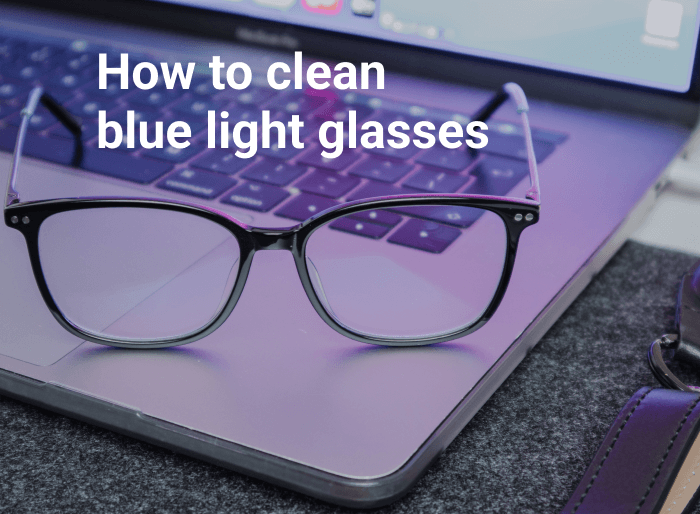
How to clean blue light glasses

Discover easy, effective methods to clean your blue light glasses and keep your lenses pristine. Use warm water and mild soap, an eyeglass cleaning solution, or a microfiber cloth to gently remove smudges and debris without scratching. Proper care ensures your glasses continue to protect your eyes from digital strain.
How to clean blue light glasses
This website uses cookies to improve your experience. By using this website you agree to our Data Protection Policy.
Read more