eBay has built-in dark mode in its Android and iPhone apps, but not on the main eBay website. On mobile, change the appearance in the eBay app settings. On PC or Mac, you can use Night Eye to make eBay.com dark in a supported browser.
Updated August 2026. Reviewed by the Night Eye browser-extension team.
Does eBay Have Dark Mode?
Yes, but availability depends on how you use eBay.
The eBay app has a built-in dark theme on Android, iPhone, and iPad. The main eBay website does not currently provide a native dark-mode switch for desktop browsers. If you use eBay on a PC or Mac, Night Eye can apply a customizable dark theme to the website.
eBay Dark Mode: Quick Answer
| Platform | Built-in eBay dark mode? | Method |
|---|---|---|
| eBay website on Windows | No | Use Night Eye in a supported browser |
| eBay website on Mac | No | Use Night Eye in a supported browser |
| iPhone or iPad app | Yes | My eBay → Settings → Appearance |
| Android app | Yes | Menu → Settings → Theme |
| eBay Community pages | Separate setting may exist | Change the Community display preference |
Important: The eBay Community is separate from the main shopping website. A dark setting on Community pages does not mean that eBay.com has a native dark theme.
A darker page can feel more comfortable in a dim room or better match your visual preference. You can adjust Night Eye or return eBay to its original appearance whenever needed.
On this page
- Does eBay Have Dark Mode?
- How to Make eBay Dark on a PC or Mac
- How to Enable eBay Dark Mode in Chrome
- How to Enable eBay Dark Mode in Firefox
- How to Turn On Dark Mode in the eBay iPhone or iPad App
- How to Turn On Dark Mode in the eBay Android App
- How to Turn eBay Dark Mode Off
- eBay Light Mode vs. Dark Mode
- eBay Dark Mode Not Working? Try These Fixes
- eBay Dark Mode FAQ
How to Make eBay Dark on a PC or Mac
Because eBay.com has no built-in desktop dark-mode switch, you need a browser-based option to change the website itself. Night Eye works in Chrome, Edge, Firefox, Safari, and other supported browsers.
- Install Night Eye from your browser's official extension store.
- Open eBay.com. If eBay was already open during installation, refresh the tab once.
- Open the Night Eye icon in the browser toolbar. If you do not see it, open the browser's Extensions menu and pin Night Eye.
- Night Eye starts supported websites in Dark mode automatically. If eBay is still light, open Night Eye and select Dark.
- Adjust Brightness, Contrast, Warmth, or Dim if you want to fine-tune the page.
You do not need to change an eBay account setting. For a complete first-use walkthrough, see how to install and use Night Eye.
Install Night Eye for Your Browser
How to Enable eBay Dark Mode in Chrome
Changing Chrome's theme makes the tabs, toolbar, menus, and settings dark. It does not automatically darken the content on eBay.com. Night Eye changes how the webpage is rendered.
- Install Night Eye from the Chrome Web Store.
- Open eBay.com or refresh the eBay tab if it was already open.
- Select Chrome's Extensions icon and pin Night Eye if its icon is hidden.
- Open Night Eye and confirm that Dark is selected.
Chrome's experimental force-dark flags are not the best primary method. They can change or disappear between browser releases and may affect every website. If a listing, payment, or checkout element is unclear, switch that page to Normal mode before continuing.
How to Enable eBay Dark Mode in Firefox
A Firefox theme changes the browser interface, but it does not add a native dark theme to the eBay website. Use Night Eye when you want the page content to appear dark.
- Install Night Eye from Firefox Add-ons.
- Open eBay.com.
- Open Night Eye from the Firefox toolbar. Use the Extensions button to pin it if necessary.
- Confirm that Dark is selected.
If the page was open before installation, refresh it once. You can keep the default appearance or adjust the display controls for eBay only.
How to Turn On Dark Mode in the eBay iPhone or iPad App
The iPhone and iPad apps include a native dark theme. According to eBay's current app instructions:
- Open the eBay app.
- Select My eBay at the bottom left.
- Select Settings.
- Select Appearance.
- Choose Always dark mode.
You can also choose Always light mode or Use device setting. With Use device setting selected, the eBay app follows the iPhone or iPad appearance.
How to Turn On Dark Mode in the eBay Android App
Use eBay's built-in Theme setting on Android:
- Open the eBay app.
- Select the Menu icon.
- Select Settings.
- Select Theme.
- Choose Dark.
eBay currently documents three choices: Light, Dark, and Battery Saver. Menu labels can vary by app release, device, or region, so update the app if you do not see these options.
How to Turn eBay Dark Mode Off
- iPhone or iPad app: Go to My eBay → Settings → Appearance and choose Always light mode.
- Android app: Go to Menu → Settings → Theme and choose Light.
- eBay website with Night Eye: Open Night Eye and choose Normal for eBay. Normal mode restores the website's original appearance.
If only one eBay page is unclear, use Night Eye's Customize Pages option to leave that page in Normal mode without changing the rest of the website.
eBay Light Mode vs. Dark Mode
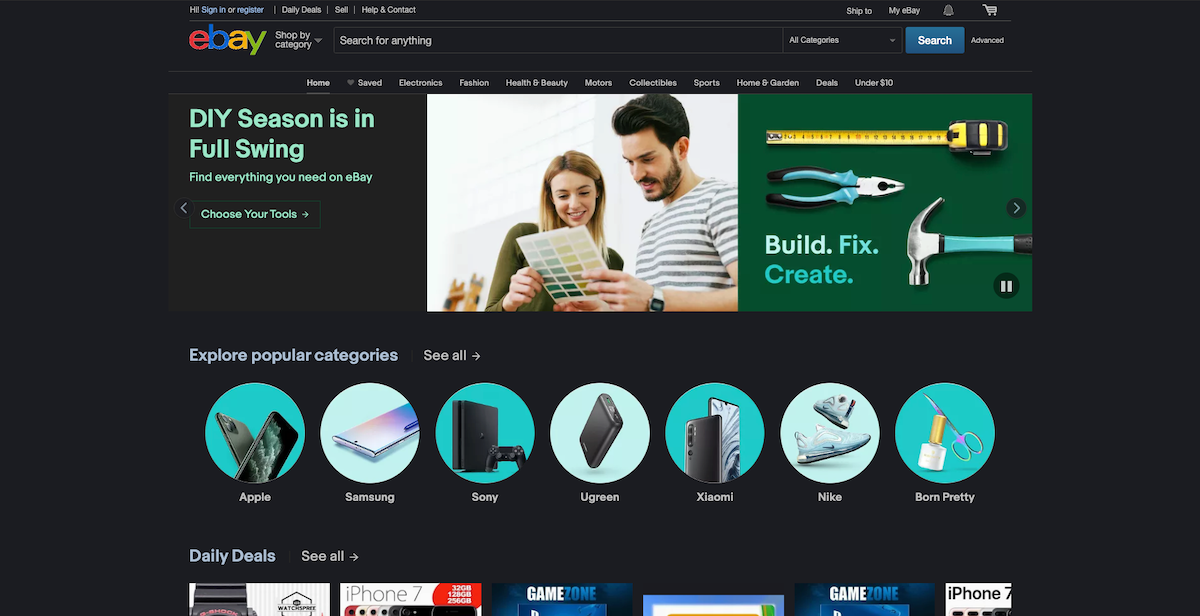
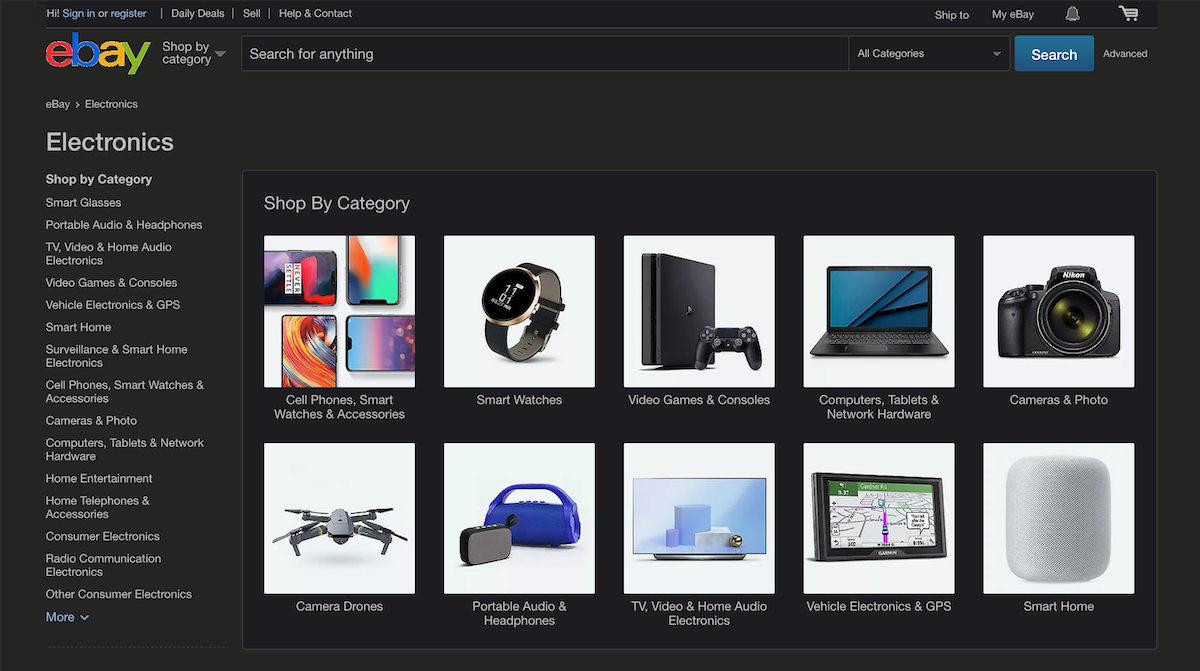
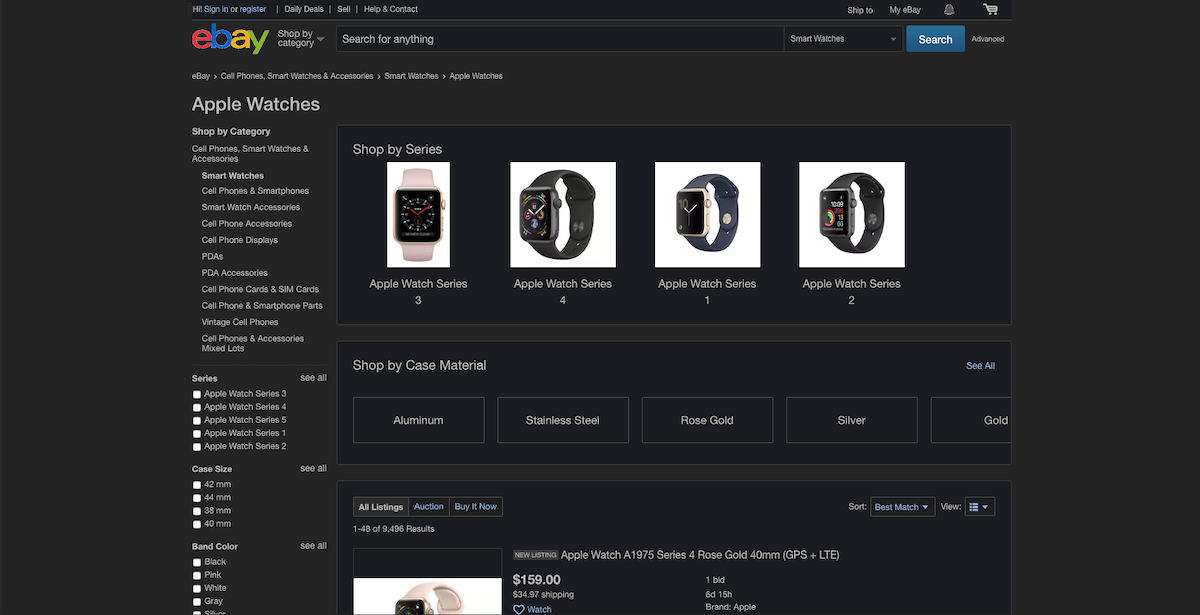
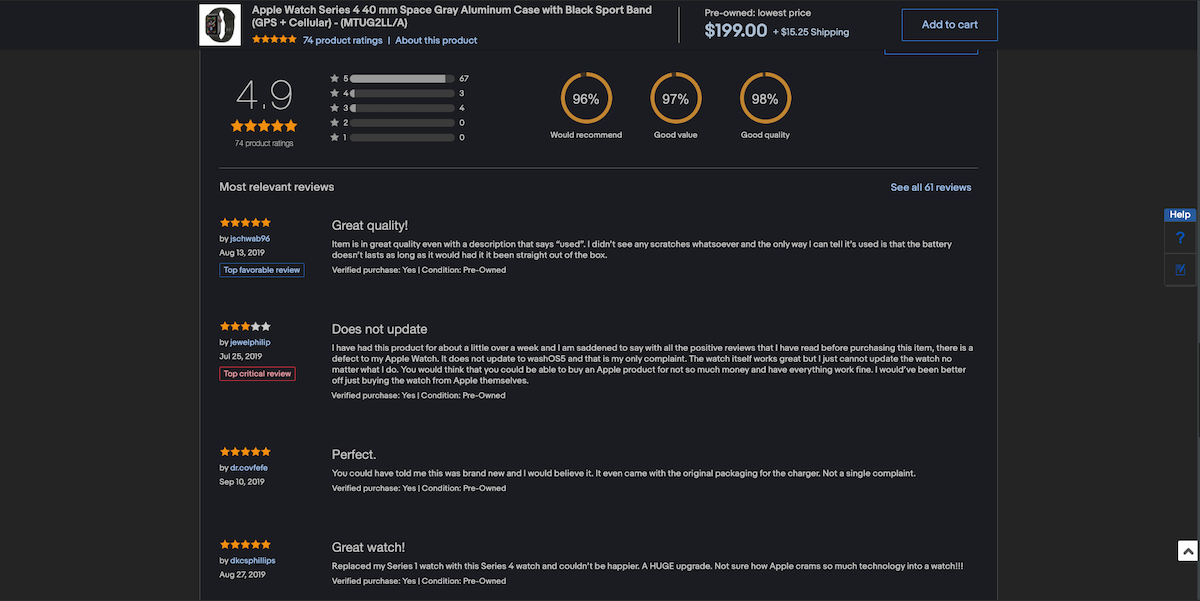
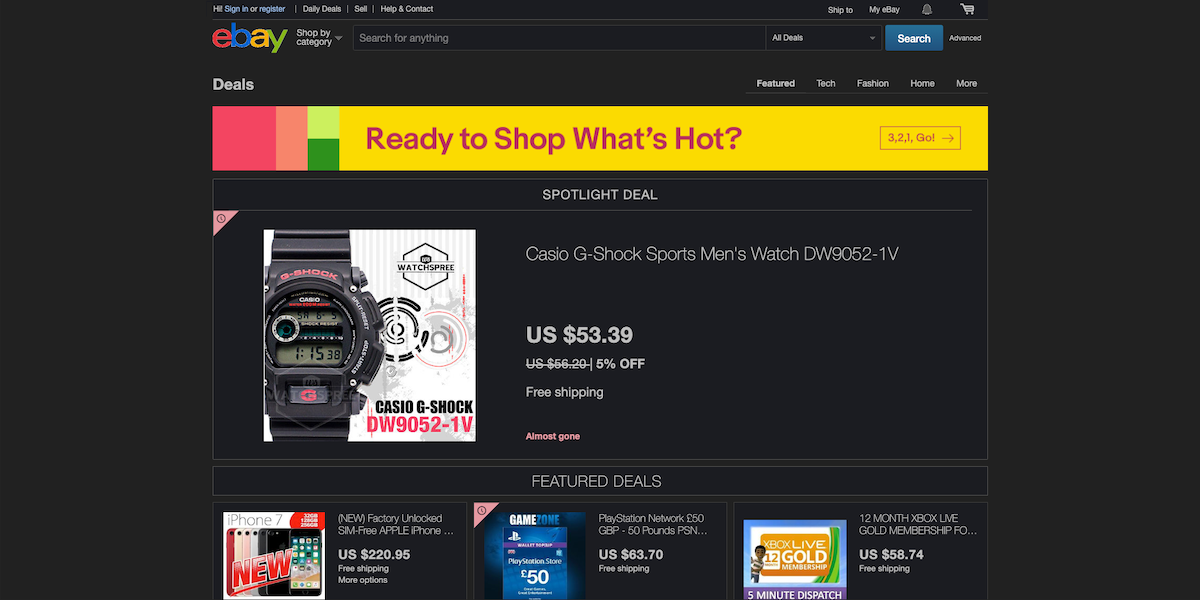
Use the comparison below to see eBay's standard light appearance beside an example converted with Night Eye. eBay changes its layout over time, so current menus, listings, and page details may look different.
Product photographs should generally keep their original colors. If a price, image, option, seller rating, button, or checkout field is unclear, return that page to Normal mode before relying on it.



eBay Dark Mode Not Working? Try These Fixes
| Problem | What to try |
|---|---|
| eBay remains light after installing Night Eye | Refresh the tab, confirm the extension is enabled, open Night Eye, and select Dark. |
| The Night Eye icon is not visible | Open the browser's Extensions menu and pin Night Eye to the toolbar. |
| Dark mode works in the app but not on the website | The app and eBay.com use separate appearance settings. Use Night Eye for the desktop website. |
| The iPhone or iPad app does not follow the device theme | Choose Use device setting under My eBay → Settings → Appearance, then reopen the app. |
| Product photos or icons look wrong | Switch the affected page to Normal mode. Check exact product colors in the original appearance. |
| A menu, popup, form, or checkout element remains light | Refresh the page, try Filtered mode, or use Normal mode before completing the purchase. |
| eBay flashes white while loading | Update the browser and Night Eye, then test again with other appearance extensions temporarily disabled. |
| Dark mode changes other websites | Apply the preference to the current website instead of globally, or set other sites to Normal. |
| eBay Community is dark but eBay.com is light | The Community and shopping website are separate. Their appearance settings do not control each other. |
| Night Eye is blocked in a managed browser | Your organization may restrict extensions. Ask the browser or IT administrator whether Night Eye can be approved. |
If a page is not converted correctly, contact Night Eye support. Include the affected URL, a screenshot, your browser, and your Night Eye version.
eBay Dark Mode FAQ
Does eBay have dark mode?
Yes in the Android, iPhone, and iPad apps. The main eBay website does not currently provide a native desktop dark-mode switch.
Does eBay have dark mode on PC?
Not as a built-in eBay.com setting. You can use Night Eye in a supported desktop browser to make the website dark.
How do I make eBay dark in Chrome?
Install Night Eye from the Chrome Web Store, open eBay.com, and confirm that Dark is selected in the extension. Chrome's own dark theme does not automatically darken the website content.
Can I use eBay dark mode in Firefox?
Yes. Install Night Eye from Firefox Add-ons, open eBay, and use Dark mode for the website.
Does the eBay website have a native dark theme?
No native dark-mode switch is currently available on the main eBay shopping website. The mobile apps and eBay Community have separate appearance options.
How do I enable dark mode in the eBay app?
On iPhone or iPad, open My eBay → Settings → Appearance and choose Always dark mode. On Android, open Menu → Settings → Theme and choose Dark.
Can eBay follow my phone's theme?
On iPhone and iPad, choose Use device setting under Appearance. On Android, eBay currently documents Light, Dark, and Battery Saver; available options may vary by release.
How do I turn eBay dark mode off?
Select Always light mode in the iPhone or iPad app, Light in the Android app, or Normal in Night Eye for the website.
Do I need an extension for eBay dark mode?
You do not need an extension for the eBay mobile app because it has its own dark theme. To give eBay.com a full dark appearance on a PC or Mac, use a browser extension such as Night Eye.
Why is the eBay Community dark but eBay.com is still light?
The eBay Community is a separate part of eBay with its own display preference. Changing it does not change the main shopping website.